
Use RSS to Do More with Internet Data
Part 2 of a Three Part Series on RSS Technology
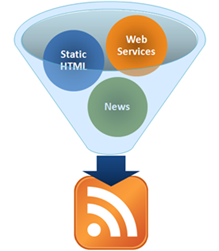 During Part 1 of the VitaminCM.com series on RSS “Master Online Information Through the Magic of RSS Technology” I covered what RSS is and how it works for sites that provide an RSS feed. RSS can do a lot more than just bring your favorite blog posts to your feed reader. During Part 2, I’m going to show you how to get data out of a web site that does not provide an RSS feed. I’m also going to show you how to use combine multiple sources of data from different web sites and combine it into a single RSS feed.
Using RSS to Get Data from Pages that Don’t Provide an RSS Feed
There is a mountain of valuable data out there on the web that would be great to get sent to your RSS reader. Unfortunately, for a variety of reasons, the sites with the data don’t always provide RSS feeds. Well, fortunately for you, there is a way to get this data sent to you in an RSS feed.
There is a free service called Dapper, which allows you to grab data from web sites and turn it into a dynamic RSS feed. Let’s say you’re looking for a new house. Realtor.com has millions of listings all over the place. It would be great to open up your feed reader every morning and see a listing of the newly listed homes that met your requirements. Too bad this is not available.
With Dapper, you can create just such a feed in a few minutes using the following steps:
Master Online Information Through the Magic of RSS Technology
Use RSS Technology as Your Border Collie on the Web
Goal: Explain how RSS is used to Organize and Deliver Content over the Internet. Then, show some interesting ways to find, create, and use information with RSS.
This is Part 1 of a Three Part Series on RSS and the things that it can do. This article will cover what RSS is and how you can use it to read news and updates from your favorite web sites.