
Getting the Most Out of Your Software with Third Party Add Ons
Six Part Series on Extending Your Favorite Software with Add Ons
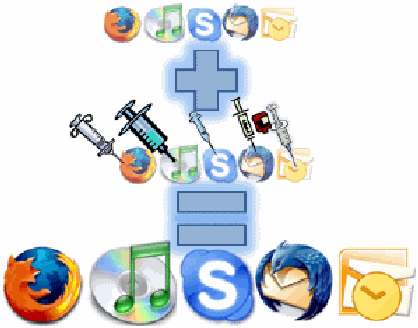
GOAL: Provide a list of add ons to help you turbo charge some of your most commonly used applications.
Even though many of the applications on my computer are great, I always feel like there are just a few things missing. Fortunately, a lot of frequently used applications allow third party Add Ons, Plugins, and Extensions to fill some of the voids left by the manufacturers.
Put your applications on some serious performance enhancing drugs that won’t get detected on any test.
We’ll wring every last drop of juice out of the following applications:
- Microsoft Outlook
- Mozilla ThunderBird
- Skype VOIP Software
- Apple iTunes
- Mozilla Firefox
- The Best of the Rest
What I will be covering for each application:
Carry A Computer in your Pocket
Bring Your Favorite Software, Files, and Settings with You
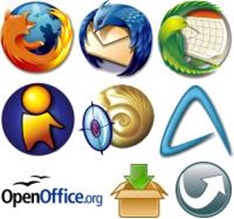 GOAL: Provide a list of Portable Applications that you can run on any PC and feel like you never left home.
Do you use multiple computers on a regular basis? Do you go from home, to work, to friends, and relative’s houses where you can never guarantee that the applications that you need are available? Well, you need a USB flash drive loaded with Portable Applications.
You can load numerous free and useful applications onto a USB drive and take a solid computing environment that can be used on any PC on the road. I used to get frustrated when I visited my parents or in-laws houses, because their computers were not set up with what I needed to waste time get things done. Now, I just pull out my portable computing environment get to work.
Awesome Adobe Acrobat Alternatives that Will Make Love to your Computer
Keep the PDFs, Lose the AcroCrap
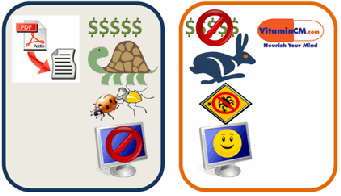 Goal: Provide a list of FREE applications that will allow you to do everything you want with PDFs while avoiding the annoying, expensive problems of Adobe Acrobat.
The Portable Document Format (PDF) is great for a number of reasons however; Adobe Acrobat (the de facto standard application) is a horrendous piece of garbage. The Acrobat Reader (Free) is painfully slow to open, has more bugs than a porch light, and love to crash browsers. The Acrobat Writer (Standard $299 or Professional $449) applications are ridiculously expensive.
Here is a list of applications that will let you get the most out of the PDF format with none of the issues:
You can use this combination of free applications to do just about everything that you would ever want from Adobe Acrobat.
- Open and Read PDF files
- Create PDF files from any document or application on your computer
- Edit PDFs by converting them into Microsoft Word documents
- Merge Multiple PFDs into a single file
- Stop PDFs from crashing your browser
- Not spend hundreds of dollars
32 Free Applications that I Could Not Live Without
Turbocharge Your Productivity for Free
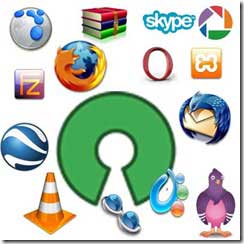
Goal of this article: Provide a list of excellent, free applications that will help you get the most out of your computing experience.
Your computer can do so much, but there is always some piece of software that you need first. Lots of applications are complicated and expensive enough to stop people from taking full advantage of their computers. Don’t despair, there are plenty of wonderful, free applications that will change the way that you look at your computer.
Types of Software
I divided the applications into 6 categories:
- Browsing
- Communications
- Media
- Utilities
- Developing
- Blogging
Operating System Support
I’m using a windows machine, so that will be my primary focus. However, I will put a Windows, Mac, and Linux icon (

 )to indicate which systems support each application. If anyone is a Mac or Linux user I would appreciate any suggestions in the comment or via email. Here is a list of good Linux options Linux Options to get you started.
Browsing
Firefox – If you are still using Internet Explorer, stop reading, Click here, install Firefox, and come right back and finish reading. Firefox will change the way you use the internet. There are thousands of extensions that allow you to customize everything under the sun. This is not just the best free application ever, it’s one of the most useful applications for any price. ( )
Flock – Flock is another browser built off Firefox’s code. It is customized to focus on “social” browsing. It allows you to enter your id and password for things like MySpace, Flickr, and Facebook. It then has some pretty cool hooks into those services to enhance your browsing experience. It will also connect into your blog, photo sharing, video sharing, etc. You can also use most of the Firefox extensions. ( )
Opera – Opera is another free browser that is very fast and has several nice features built in. I don’t like it as much as Firefox, but a lot of other people swear by it. Worth a try. ( )
Safari – This is Apple’s browser. It has recently been available for Windows too. I don’t really like it on a Windows machine, however I do use it to test my website. Every browser renders differently and it’s good to check your site in as many as possible. ( )
Google Earth – Google Earth allows you to browse the Earth in 3d. You can zoom down to see people standing in their back yards. Perfect for the stalker voyeur in all of us. It pulls in photos and videos and shows you where they were shot. This is by far the most fun free application that I have ever seen. ( )
Communications
Pidgin () or Trillian () or Adium () – Do you have friends on AIM, Yahoo, MSN, GTalk instant messenger networks? Tired of having four different windows open to see all of your friends? Use any one of these three applications (depending on your OS) to chat with people on every network known to man from one place. Tons of plugins, skins, and options, so get your IM on.
UPDATE: Miranda is another all-in-one IM tool that a lot of people swear by. There are also a few totally web based tools that I will discuss in a future article.
Thunderbird – If you use Microsoft Outlook at work and would like to manage your personal email, contacts, and schedule then Thunderbird is for you. You’ll need to install the Lightning Calendar application to have scheduling too. It’s not quite Outlook, but it’s pretty darn good for free. ( )
Skype – Make free Computer to Computer phone call with video using skype. You can also pay (very little) to make and receive calls to regular land line phones. You can even set up multi-person video conferences. Nice.
Email – There are several very good web based email services like Gmail, Yahoo mail, and others. These work very well and they are free, but I will be discussing web based services in a future article. (Subscribe to RSS Feed so you don’t miss it!) ( )
Media

Picasa – Do you take a ton of pictures? Me too. Do you have a hard time keeping them all organized? Well, then you need Picasa. Picasa finds, organizes, and does simple effective edits to your photos. You can view them by dates, folders, keywords, etc. It’s quick, easy and very fun. It also seamlessly integrates with Picasa Web Albums (think poor man’s Flickr) to put your photos online. You can also email your pictures using Gmail, MS Outlook, or Picasa Mail quick and easy. I could not live without this app. () Mac uses have iPhoto which is built into the OS.
iTunes – If you have an iPod and a bunch of songs, then iTunes is very nice. It also handles videos and podcasts too, all from one slick interface. The other nice thing is that iTunes integrates with a lot of other applications and web services. Some people don’t like iTunes, due to the heavy resources that it consumes and some of the glitchy quirks, Luckily, there are a few other great alternatives. Media Monkey, aTunes, or Songbird are all open source applications that are very capable iTunes replacements. Give them a look.
VLC Media Player – If you don’t like dealing with the Missing Codec errors (damn Codecs) of Windows Media Player and some of the other annoyances of Quicktime or Real Player, then just use VLC Media Player. This small light tool plays every video format know to man. It does one thing and does it perfectly. It doesn’t look as pretty as the other players out of the box, but this article on Download Squad tells how to use skins to make VLC look better. ( )
There is a ton of good video content available on the web. The problem is finding, downloading and viewing it in a simple manner. This is where Miro and Joost come in. They allow you to find, download, and view tons of web based video content in a very elegant manner.( )
If you want to download broadcast television shows to your computer, then view this article: Easy Way to Download TV Shows from the Internet .( )
Windows Movie Maker – There are a ton of expensive, complicated video editing programs out there. Fortunately for Windows users, there is Windows Media Player. Until you are actually getting paid to make videos, this is all you’ll need. (only) Mac users have iMovie (), which is awesome and built into the OS. If you know of a good Linux option, post it in the comments.
Utilities
WinRar – Don’t want to pay for Winzip’s limited functionality? Get WinRar, it opens anything for free.
CORRECTION: WinRar is Shareware, not free. Try 7zip which is totally free and works very well.
( )
Yahoo Widgets – Add beautiful mini apps to your desktop that display a combination of information from the web and your local computer. Fun, Functional, and Free, three F’s. Other options: Apple Dashboard, Vista Sidebar, Google Desktop Gadgets, or if you’re on Linux, try SuperKaramba. ( )
Object Dock – Do you like the launcher on Macs? Me too. This is a knockoff of that, for a PC. It can sit on the top, bottom, or sides of your computer. When you put your mouse to the edge of the screen, it gives you a bunch of icons to launch programs or files. Very convenient. () Any Linux suggestions?
VNC – If you need to control another computer on your network, you can set up VNC on both computers. This will allow you to control another machine remotely. The link is for a Windows version, but just search for one for your operating system. ( )
SyncBack SE – You do regular backups, right? Yeah, me too. There are no excuses with SyncBack SE. This software will allow you to do thorough “incremental” backups of your system without having to be an IT guru. () Mac has Time Machine built in, and I’m not sure about Linux.
Copernic Desktop Search – Never hunt for another file again. This application indexes all of the files on your computer (even across the network) and allows you to find them in seconds. It not only checks the file name and properties, it actually searches every word of text too. If you type “resume” in the search, you may pull back 5 versions. Click on any result and see the search term highlighted in the context of the document. This thing is awesome. () Mac has Finder built in, and I’m not sure about Linux.
PDFs – Let’s face it Adobe Acrobat SUCKS. Every new version makes it suck even more. It’s slow, bloated, buggy, and the good stuff (creating and converting) costs extra. Well these two gems will help you shed the fat when you read PDFs and save some money when you need to create them. Foxit PDF Reader and Cute PDF Writer. Both are simple, fast, and powerful. ()
AVG Antivirus – Just say NO to Norton. It sucks and will destroy your computer. AVG is lighter, faster, better, and free-er. Windows and Linux only, but Mac users claim to be immune to viruses. ( )
CC Cleaner System Cleaner – Get the crud out of your system. Remove junk from the Recycle Bin, Cookies, Temp files, Registry garbage. Keeps your system running smoothly. (only) Any suggestions for Mac or Linux?
AdAware Spyware Remover – Take back your computer! Spyware and malware can infest your computer, stealing your private data and slowing down your machine. Run AdAware and see how much gunk gets removed. () Any suggestions for Mac and Linux?
Web Development
XAMPP – Everything you need to run a full-fledged testing server on your computer. All bundled into one install file. All configured to work immediately. This thing will save you hours. See this article for setup instructions: How to Set up A Testing Server on Your PC. ( )
Filezilla FTP Client – Free, simple FTP tool. I use this to upload files to this site’s server. ( )
Notepad++ Text Editor – NotePad is OK, but if you want some really nice features for working with any kind of text based file, then step up to NotePad++. It’s got to be better, didn’t you see the 2 plusses? Seriously though, I use it daily when I am working on web development. (only) Mac and Linux both come with very good text editors built in.
Blogging
Windows Live Writer – This is the tool that I use to write my articles. It’s not perfect, but it has a lot of pretty nice features. It integrates with several blog platforms very well too. (only) Any suggestions for Mac and Linux?
Scribefire extension with Flock – If you don’t want to use Live Writer, you can use the Flock browser with the Scribefire extension. This gives you a very powerful setup. You can view HTML code or WYSIWYG. You can drag images or videos out of Flock’s media bar directly into your articles. Pretty nice option. ( )

Software Worth Buying
Sometimes it’s just better to part with a few bucks. There are a handful of applications that just don’t really have a match in the free price point.
Microsoft Office ) Read this article on why I still use it: Is Microsoft Office in Danger of Being Dethroned? Linux users can use Open Office.
Microsoft Outlook
Adobe PhotoShop
Adobe DreamWeaver
TechSmith Snagit
There is a List of Free Mac Apps Too
See the list of the 26 Best Free Mac Applications.
TechSmith CamTasia
Subscribe to VitaminCM.com for Free
Get free updates from VitaminCM.com
 Subscribe via RSS Reader
Get the VitaminCM.com Podcast
 Subscribe via iTunes
 Subscribe via YouTube
 Follow me on Twitter
 Friend me on StumbleUpon
 Friend me on Facebook
 Friend me on Digg.com
 Share bookmarks on Delicious
 Share music with me on Last.FM
 Share pictures on Flickr
How to Learn Anyting: Fast, Fun, and Free!
Great Sites to Learn New Tricks The world is moving and changing at a rapidly increasing pace. There are so many things that we all need to learn just to keep pace. At work, school, home… our finances, technology, health, etc. Nobody knows everything, and even if you did, there would be 10 new things […]